What does the "I'm not a robot" checkbox look at?

 In truth, it is quietly watching even before you click.
The checkbox doesn't only look at the moment you click. It considers your whole behavior before, during and after, to judge whether you are human. According to Google, in most cases you pass just by checking the box, and only when something seems suspicious are you given a task such as picking photos.
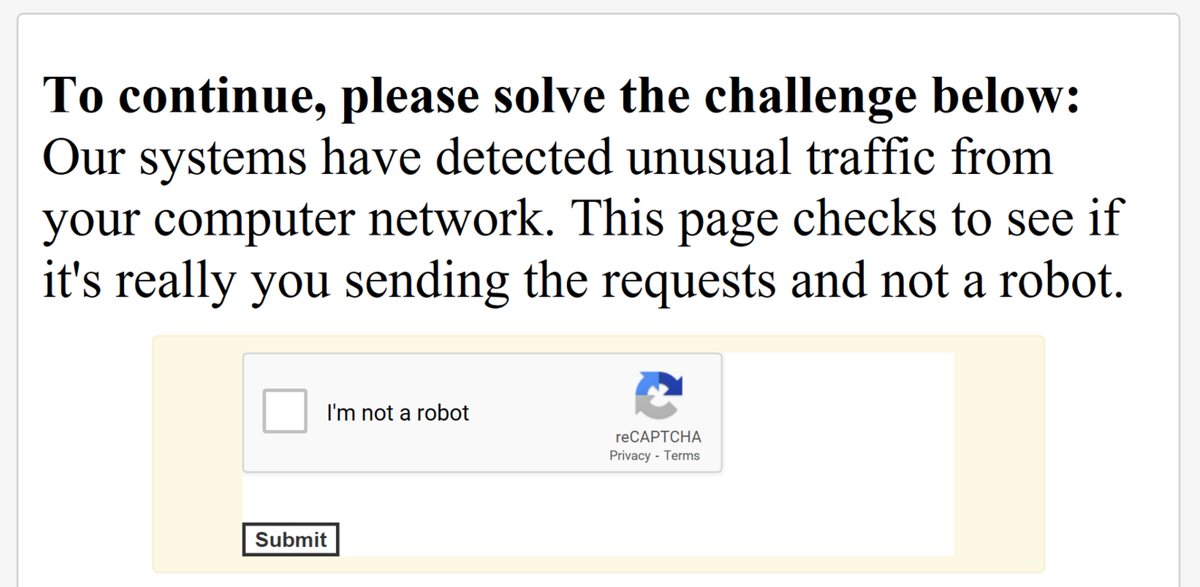
A CAPTCHA tells people and computers apart
Systems like this are called "CAPTCHAs": tests that automatically tell humans and computers apart. The name was coined in 2000 by researchers at Carnegie Mellon University. A classic method was to show warped text that people can read but computer programs can't. CAPTCHAs have been used to stop junk comments on blogs and mass sign-ups by programs.
Warped text became readable by AI
But in 2014, Google announced that its research had shown that today's artificial intelligence technology could read even the hardest kind of warped text with 99.8% accuracy. So warped text alone was no longer a dependable test.

The checkbox looks at your whole behavior
Google then built a system (Advanced Risk Analysis) that looks at a user's whole engagement, before, during and after checking the box, to decide whether that user is human. As a result, in most cases you can get through with a single click on the checkbox. However, the official explanation doesn't say exactly which clues are used or how.
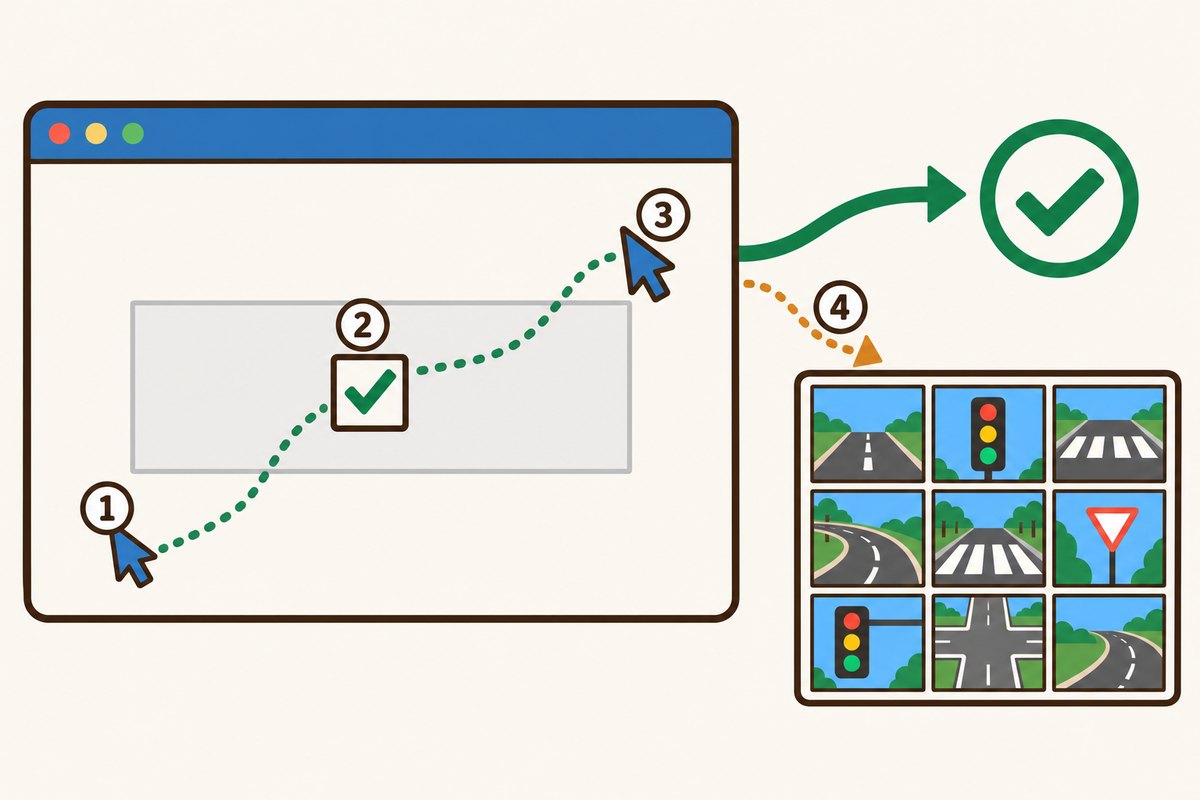
- 1Mouse movement before clicking
- 2Clicking the checkbox
- 3Movement after clicking
- 4A pick-the-pictures puzzle that appears only when something seems off
Photo tasks appear only when something seems off
According to Google's developer documentation, the checkbox either lets you pass right away or gives you a task to prove you are human. One type of task asks you to select all the photos that match a clue. Google explains that on a phone, tapping photos is much easier than typing a line of warped text.
Some versions use a score instead of a checkbox
The newer reCAPTCHA v3 has no checkbox at all. Without asking the user to do anything, it returns a score from 0.0 to 1.0 for each interaction. A score near 1.0 means a good interaction by a person is very likely, and a score near 0.0 means a bot is very likely. Each website decides what to do when the score is low, such as asking for an extra check.
Want to know more?
- CAPTCHA stands for "Completely Automated Public Turing test to tell Computers and Humans Apart."
- Older versions of reCAPTCHA used words from old books that were being digitized as their puzzles.
- In reCAPTCHA v3, 0.5 is used as the default cut-off score for telling people and bots apart.
Quick quiz: test yourself
Remember what you just read? Give it a try!What does the "I'm not a robot" checkbox look at?
Show the answer
- Your whole behavior around the click
- Only how fast you click
- The name you typed
Your whole behavior around the click According to Google, it considers your whole behavior before, during and after checking the box to judge whether you are human.
According to Google, it considers your whole behavior before, during and after checking the box to judge whether you are human.
Next quiz ›Sources
- CAPTCHA: Telling Humans and Computers Apart AutomaticallyThe Official CAPTCHA Site (Carnegie Mellon University)
- Are you a robot? Introducing "No CAPTCHA reCAPTCHA"Google Online Security Blog
- Choosing the type of reCAPTCHAGoogle for Developers
- reCAPTCHA v3Google for Developers
This article was written after checking the sources above as of 2026-10-03. Explanations may change as research progresses. Photo credits are shown below each photo.
Next fun fact ▶
 TechnologyHow do smartwatches measure your heart rate?Just by wearing it on your wrist, it knows your heart rate. How does it do that?

40 surprising animal facts with big photos and short, easy text. A fun-facts book for kids and grown-ups to read together.
See it on Amazon