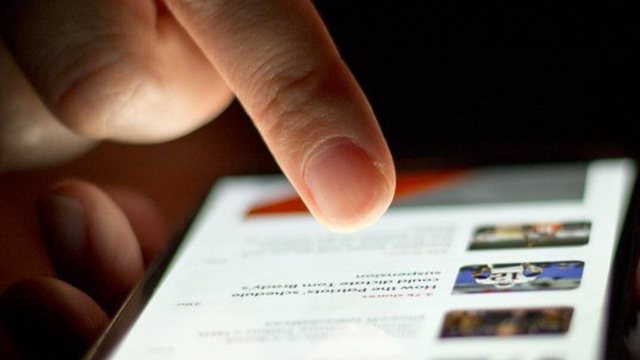
How does a phone recognize your face?

 It is actually measuring the shape of your face with invisible light.
Apple's Face ID shines thousands of invisible dots of light onto your face to make a "depth map" of its bumps and curves. It turns this into a mathematical form and compares it with the face data you saved, unlocking only when it decides you are the same person.
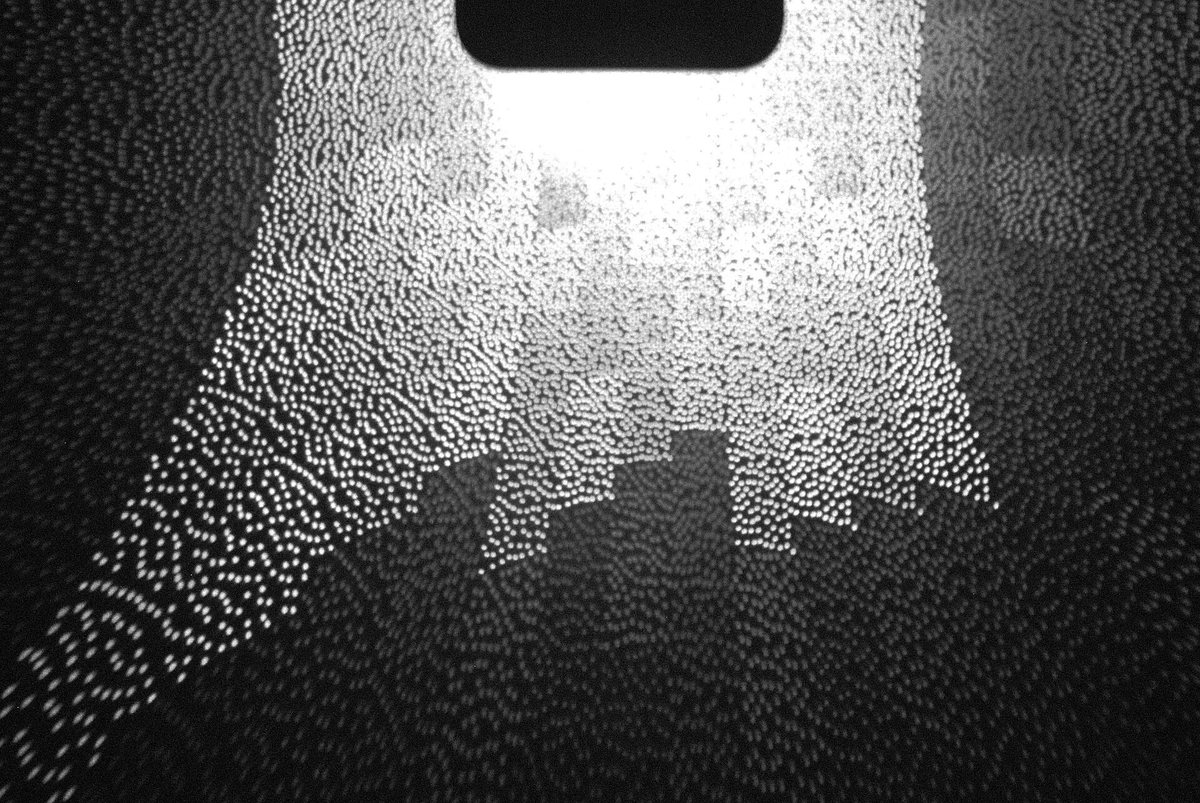
Measuring your face with invisible dots
Different phones do face unlock in different ways, so here we look at how Apple explains its Face ID. The TrueDepth camera shines thousands of invisible infrared dots onto your face. From how those dots land, it builds a "depth map" that shows the bumps and dips of your face, the high parts and the low parts. At the same time, it takes an infrared picture of your face.
Turning your face into math and comparing
The depth map and the infrared picture are turned into a mathematical representation inside a specially protected part of the phone called the Secure Enclave. This is then compared with the face data you saved when you set it up, which is also stored as a mathematical representation. Computing systems called neural networks are used for jobs such as this matching.
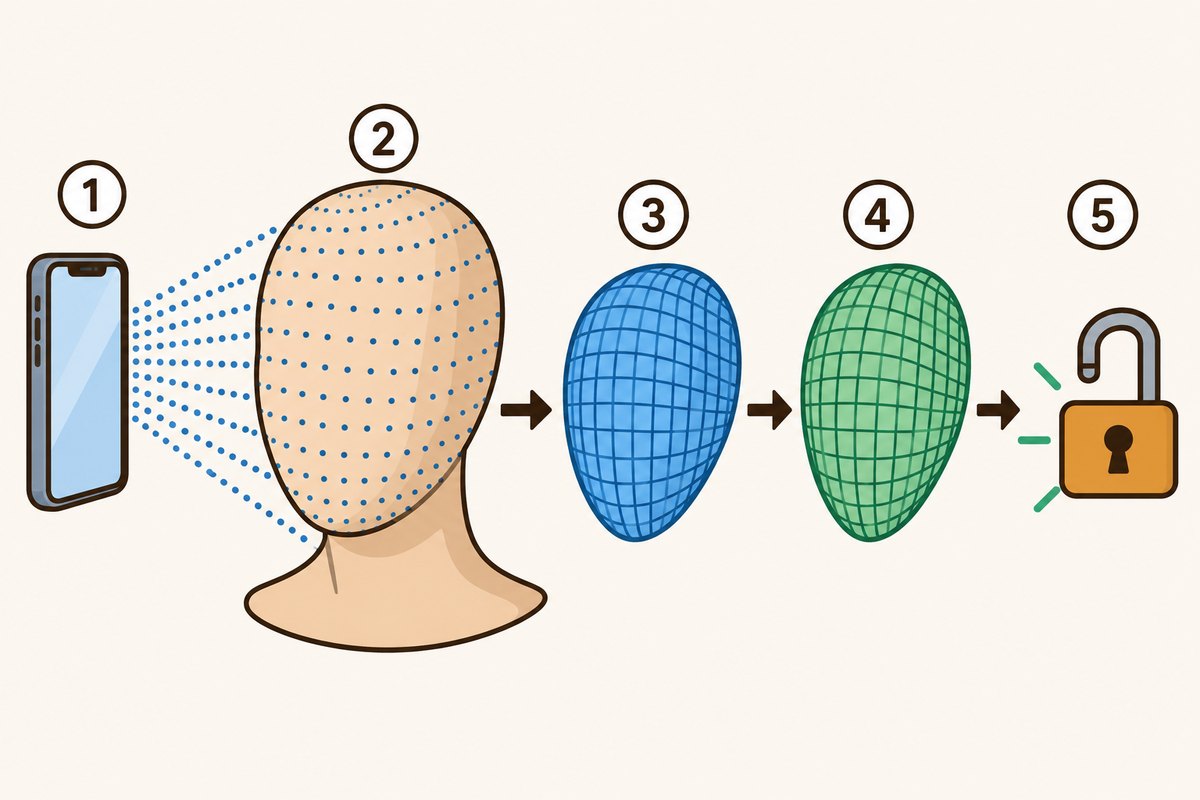
- 1A phone projecting invisible dots of light
- 2A head shape covered with the dot pattern
- 3The measured depth map of the face's bumps and dips
- 4The face data saved in advance
- 5The lock opening when it's judged to be the same person
Why photos can't easily fool it
Face ID always needs depth information. A printed photo or a photo shown on a screen is flat and has no depth, so on its own it can't unlock the phone. Face ID also checks whether your eyes are open. It is built to adjust automatically to changes in how you look, such as wearing makeup or growing facial hair, and it is designed to work even in total darkness.

Twins and look-alike siblings, take care
According to Apple, the chance that a random person could unlock your phone is less than 1 in 1,000,000 when one appearance is saved. But that chance is higher for twins, brothers and sisters who look like you, and children under the age of 13. After 5 failed face matches in a row, you have to type your passcode. Apple says your face data does not leave the phone and is not backed up to iCloud or anywhere else.
Based on Apple's explanation.
Want to know more?
- Google says face unlock on Pixel phones also keeps your face model on the phone, and that someone who looks a lot like you, such as an identical sibling, might be able to unlock it.
- On Pixel phones, face unlock might not work when there isn't enough light, or when you wear a face covering or sunglasses.
- Face ID is built to work with hats, glasses and many sunglasses, but after a big change, such as shaving off a full beard, it checks that it's you with your passcode.
Quick quiz: test yourself
Remember what you just read? Give it a try!What does Face ID use to measure the shape of your face?
Show the answer
- The colors in a photo of your face
- Invisible dots of light
- The temperature of your face
Invisible dots of light It shines thousands of invisible infrared dots onto your face and builds a depth map of its bumps and curves from how the dots land.
It shines thousands of invisible infrared dots onto your face and builds a depth map of its bumps and curves from how the dots land.
Next quiz ›Sources
- About Face ID advanced technologyApple サポート
- Face ID and Touch ID security(Apple Platform Security)Apple
- Unlock your Pixel device with your faceGoogle Pixel ヘルプ
This article was written after checking the sources above as of 2026-10-03. Explanations may change as research progresses. Photo credits are shown below each photo.
Next fun fact ▶
 TechnologyHow does an AI chatbot come up with its answers?Ask a question and an AI answer flows right back. How is that text actually made?

40 surprising animal facts with big photos and short, easy text. A fun-facts book for kids and grown-ups to read together.
See it on Amazon