How does a smart speaker know when you call it?

 Inside, it is listening only for the sound pattern of its wake word.
Inside a smart speaker, a small system runs that looks only for the sound pattern of its wake word, comparing it with what the microphone hears. Only when it decides there is a match does it send the following speech to a server over the internet, which checks the wake word again before listening in detail.
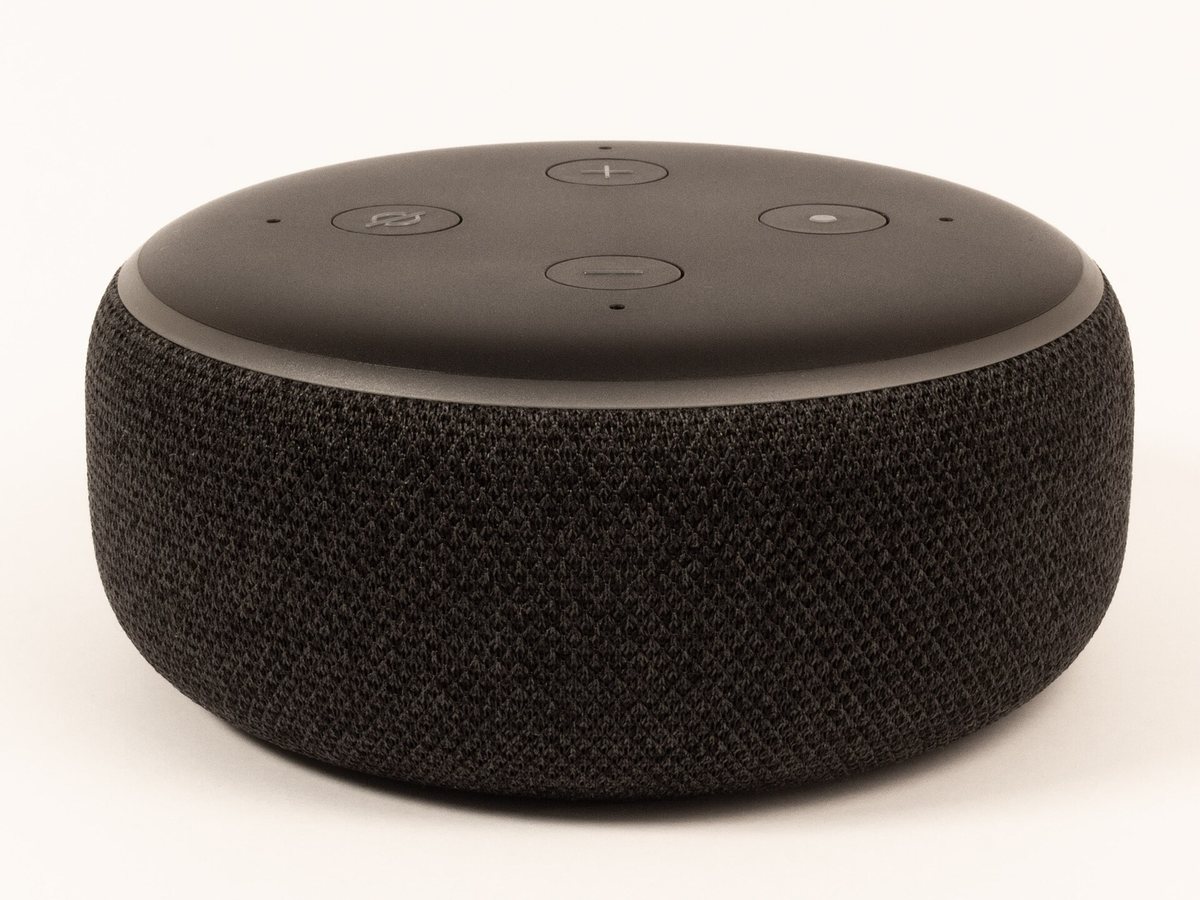
It listens only for the wake word's sound pattern
According to Amazon, Echo devices use a technology called "keyword spotting" that compares the sounds they hear with the sound pattern of the wake word. Talking, running water and birdsong pass through like water through a strainer, and only when the wake word gets "caught" is the sound sent to the cloud and checked again. Google also explains that while waiting, the device checks short snippets of sound a few seconds long, and if no wake phrase is found, that sound is neither sent nor saved.
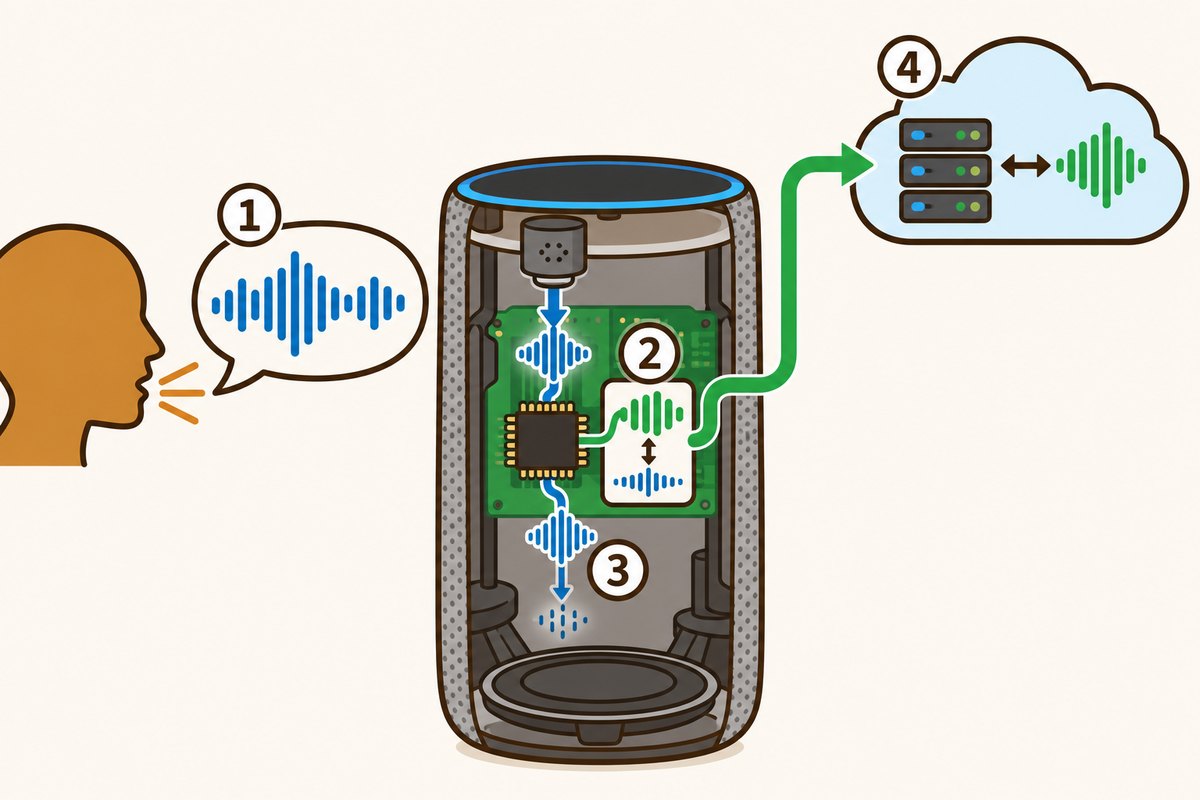
- 1The voice calling out
- 2The part inside that compares sounds with the shape of the wake word
- 3Sounds that don't match are not sent and simply fade away
- 4Only on a match is the following speech sent to the server
Turning sound into numbers and a score
Apple's 2017 explanation of "Hey Siri" shows what happens inside. The microphone turns sound into numbers 16000 times a second, which are split into sound features about every 0.01 seconds. About 20 of these at a time, or 0.2 seconds, go into a calculating system called a deep neural network, which gives numbers for how close the sound is to each of the sounds in "Hey Siri." Those numbers are added up in time order into a score, and if the score passes a set line (a threshold), Siri wakes up.
A small system and a big system, in two steps
There are tricks to save battery, too. On an iPhone, a small helper processor that is always running keeps listening with a small model. When the score passes, the main processor wakes up and checks again with a bigger model. Finally, the main speech recognizer on the server listens once more, and if it hears something else, like "Hey Seriously," it cancels.

Similar sounds can cause mistakes
Even so, a similar sound can sometimes set it off by mistake. Amazon gives the example of a small chance that "Lexus" in a conversation could be mistaken for the wake word. If someone in the family has a similar name, you can change the wake word to "Echo," "Amazon," "Computer" or "Ziggy." When it starts listening, a light on the device turns on, so you can tell when it is listening.
Want to know more?
- Apple has a "second chance" system: if the score just misses the threshold, the device becomes more sensitive for a few seconds, so saying the phrase again will wake Siri.
- Because Apple Watch has a small battery, the "Hey Siri" detector runs only when you raise your wrist and the screen turns on.
- In the 2017 explanation, on iPhone you first register by saying 5 phrases that start with "Hey Siri," and the device also checks whether a voice is close to the registered one, which cuts down on reactions to other people's voices.
Quick quiz: test yourself
Remember what you just read? Give it a try!While waiting, what does the device do?
Show the answer
- Records every conversation
- Looks for the wake word's sound
- Stays completely switched off
Looks for the wake word's sound The device compares the sounds it hears with the wake word's sound pattern, and sends your voice to a server only when they match.
The device compares the sounds it hears with the wake word's sound pattern, and sends your voice to a server only when they match.
Next quiz ›Sources
- How Alexa works: Wake wordAmazon
- Hey Siri: An On-device DNN-powered Voice Trigger for Apple’s Personal AssistantApple Machine Learning Research
- Data security and privacy on devices that work with AssistantGoogle Nest Help
This article was written after checking the sources above as of 2026-10-03. Explanations may change as research progresses. Photo credits are shown below each photo.
Next fun fact ▶
 TechnologyHow can phone cameras take bright photos in the dark?It is a dark street, yet the phone photo comes out bright. Isn't that curious?

40 surprising animal facts with big photos and short, easy text. A fun-facts book for kids and grown-ups to read together.
See it on Amazon