How does information travel across the internet?

 In truth, the data is split into small bundles and carried along by relay.
Information on the internet is split into small bundles called "packets," and each one is labeled with the address it is going to (an IP address). Relay machines called routers pass each packet along, one step closer to its goal at a time, and the receiving device puts the packets back together into the original data.
Data is split into small "packets"
Photos, videos, messages and other data are not sent as one big chunk. Instead, they are split into small bundles called "packets." A Stanford University course handout gives an example: if each packet is 1500 bytes (a common size), one image file is split into about 32 packets.
Each packet carries an address
Every machine connected to the network has an "IP address," a number that works like a home address. Each packet carries both the sender's IP address and the receiver's IP address. When you join Wi-Fi at home, your device usually gets its IP address automatically from the router (the machine that relays network traffic).
Routers relay packets one step at a time
A router looks at where a packet is going and hands it to another router that is one step closer to the destination. Routers do not know the whole route, and the internet has no "center" that knows everything. Most packets arrive after more than 10 but fewer than 20 hops. If a path breaks or gets crowded, routers pick another path and take a detour. That is why packets from the same piece of data can arrive by different routes.
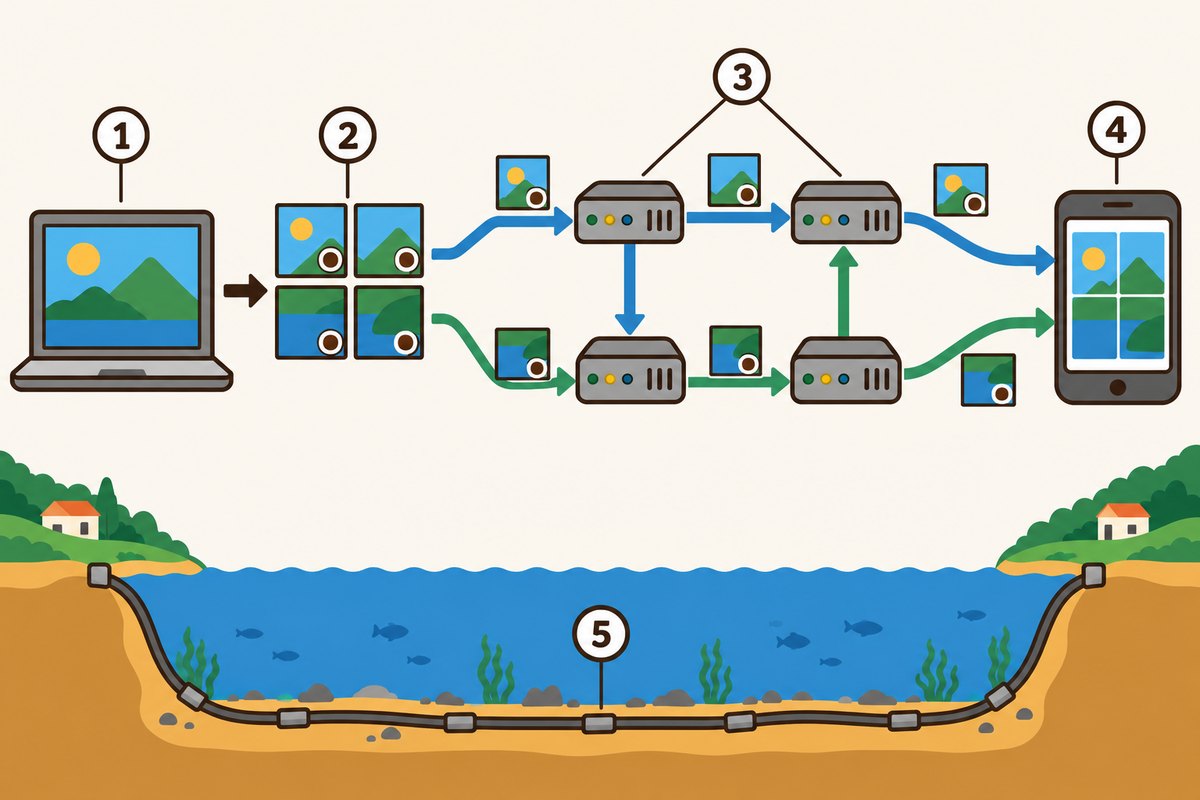
- 1The photo being sent
- 2Split into small packets, each marked with the destination
- 3Routers relay them along (not always by the same path)
- 4The receiver puts the photo back together
- 5An undersea cable linking countries

Packets are put back together at the end
When the packets arrive, the receiving computer puts them back together into the original data, like a puzzle. According to the Internet Society (ISOC)'s history of the internet, in the TCP/IP design, IP handles only addressing and forwarding packets, and any packet that did not make it was meant to be sent again from the source. All of this often takes less than 1 second.
Between countries, cables on the seafloor do the work
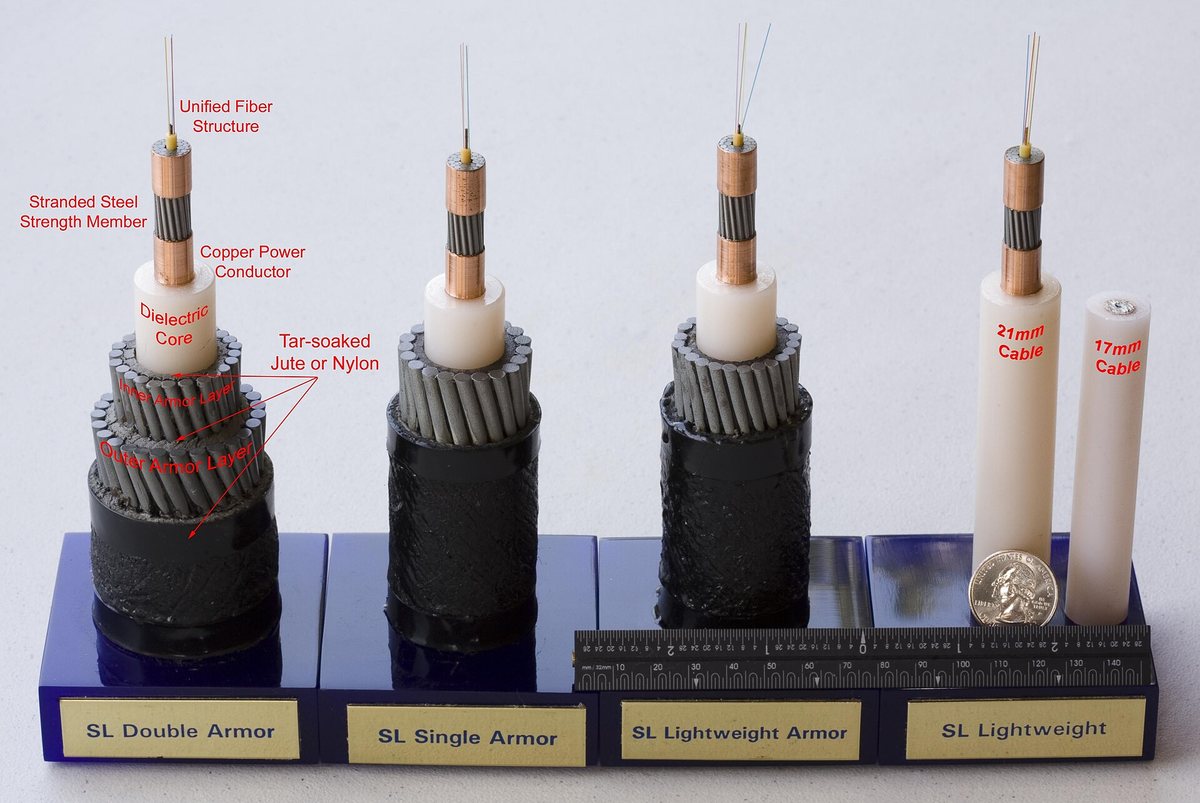
Many people think data between countries travels through satellites. But according to the U.S. National Oceanic and Atmospheric Administration (NOAA), over 95% of international data and voice traffic goes through fiber-optic cables laid on the ocean floor. That is because cables beat satellites in how much they can carry, in speed and in cost.
Want to know more?
- The first cable to successfully cross the Atlantic was a single copper wire. It went into use in 1866 and could send about 12 telegraph words per minute.
- IP addresses starting with 10 or 192.168 are used only inside a home or an organization. When talking to the outside, the router swaps in a different address.
- With a tool called "ping," you can measure how long it takes for a packet to reach another computer and for the reply to come back, in milliseconds (1/1000 of a second).
Quick quiz: test yourself
Remember what you just read? Give it a try!In what form is information sent over the internet?
Show the answer
- As one big chunk
- Split into small packets
- Only through satellites
Split into small packets Data is split into small bundles called packets, labeled with the receiver's IP address, and relayed by routers to its destination.
Data is split into small bundles called packets, labeled with the receiver's IP address, and relayed by routers to its destination.
Next quiz ›Sources
- How Does The Internet work? (CS106A lecture handout)Stanford University
- Brief History of the InternetInternet Society
- How does the internet work?Ask Dr. Universe, Washington State University
- Submarine CablesNational Oceanic and Atmospheric Administration (NOAA)
This article was written after checking the sources above as of 2026-10-03. Explanations may change as research progresses. Photo credits are shown below each photo.
Next fun fact ▶
 TechnologyHow are spam emails spotted?Spam is sorted away before it reaches your inbox. How is it told apart?

40 surprising animal facts with big photos and short, easy text. A fun-facts book for kids and grown-ups to read together.
See it on Amazon